Getting started
This page walks a normal workspace member through one smoke test end to end: catalog in the app, run with the CLI, watch results. You do not need to be a platform admin.
If you already know Spanline Performance, jump to Guides or Run tests.
What you will need
| Need | Notes |
|---|---|
| Spanline account | Sign in at app.spanline.dev |
| Workspace membership | Member (or higher) to create scenarios; Viewer can only watch |
| Laptop or CI with network | The browser does not run k6 |
| Spanline CLI | Install from spanline.dev/cli |
| k6 | CLI can download a supported build if missing |
Mental model (30 seconds)
| Surface | Role |
|---|---|
| App | Create environments & scenarios, plan collections, watch runs, compare, export matrix |
| CLI / CI | Execute k6 and upload live metrics + summary |
Empty Overview (No runs yet) is normal until a runner uploads results. Inventory KPIs (scenarios, collections) can show numbers while Total runs is still zero.
Step 1 — Pick the workspace
- Sign in.
- Use the header workspace switcher so you are in the workspace your team uses for load tests.
- Open Performance → Overview (
/performance).
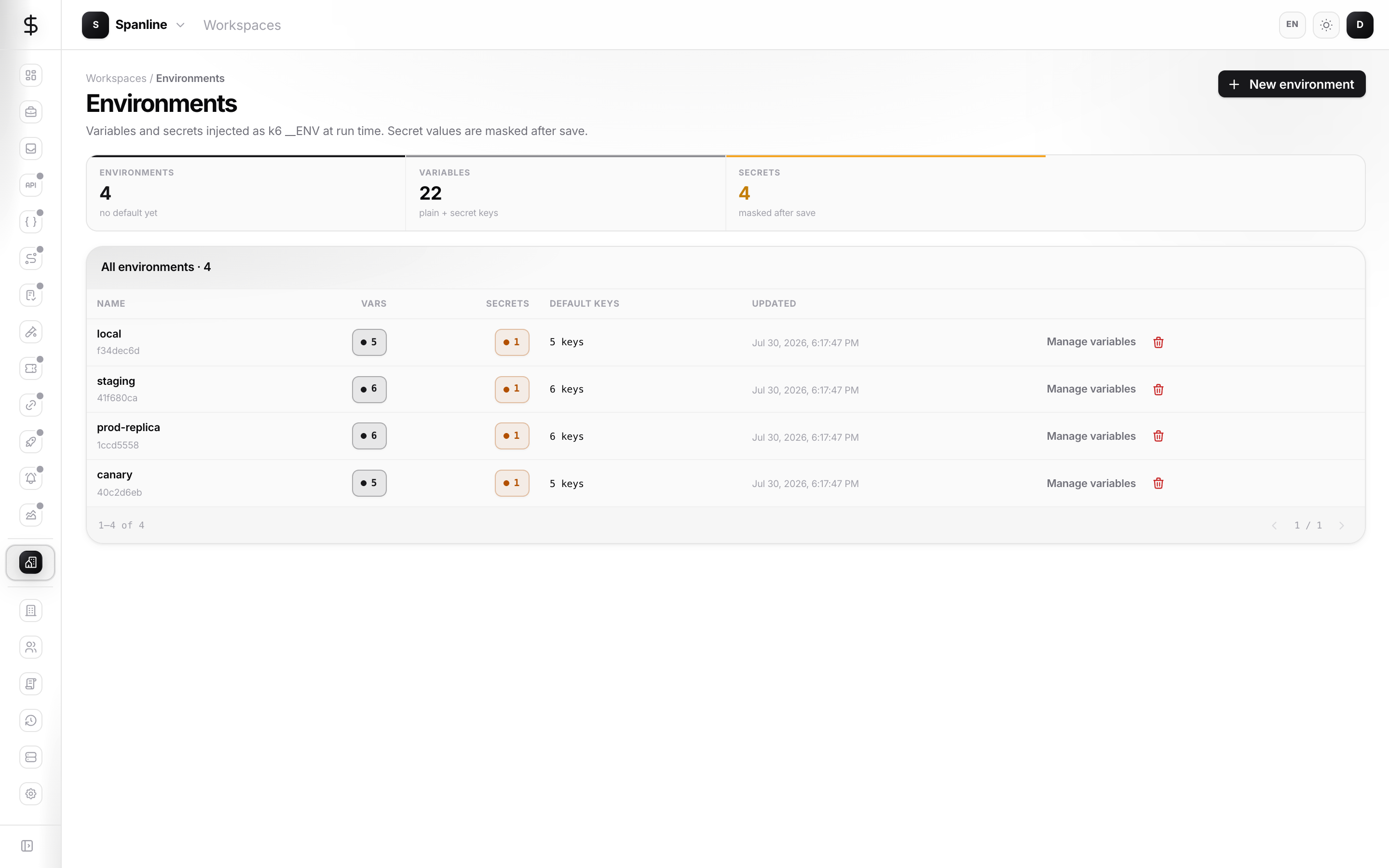
Step 2 — Create an environment
Environments live under the workspace, not inside the Performance rail.
- Open Workspace → Environments (
/workspaces/environments). - Create an environment (for example
staging). - Add variables your script needs — at least
BASE_URL. Mark tokens as secrets.
Full details of sealed secrets and who can reveal values: Access & secrets.
Step 3 — Create a smoke scenario
- Open Performance → Scenarios.
- Choose New scenario, or pick the Smoke template from the empty state if you have no scenarios yet.
- Give it a clear name (for example
smoke-health). - Paste a small k6 script (or keep the template), attach the environment from Step 2, and save.
You can refine Load, Gates, and other tabs later — see Guides.
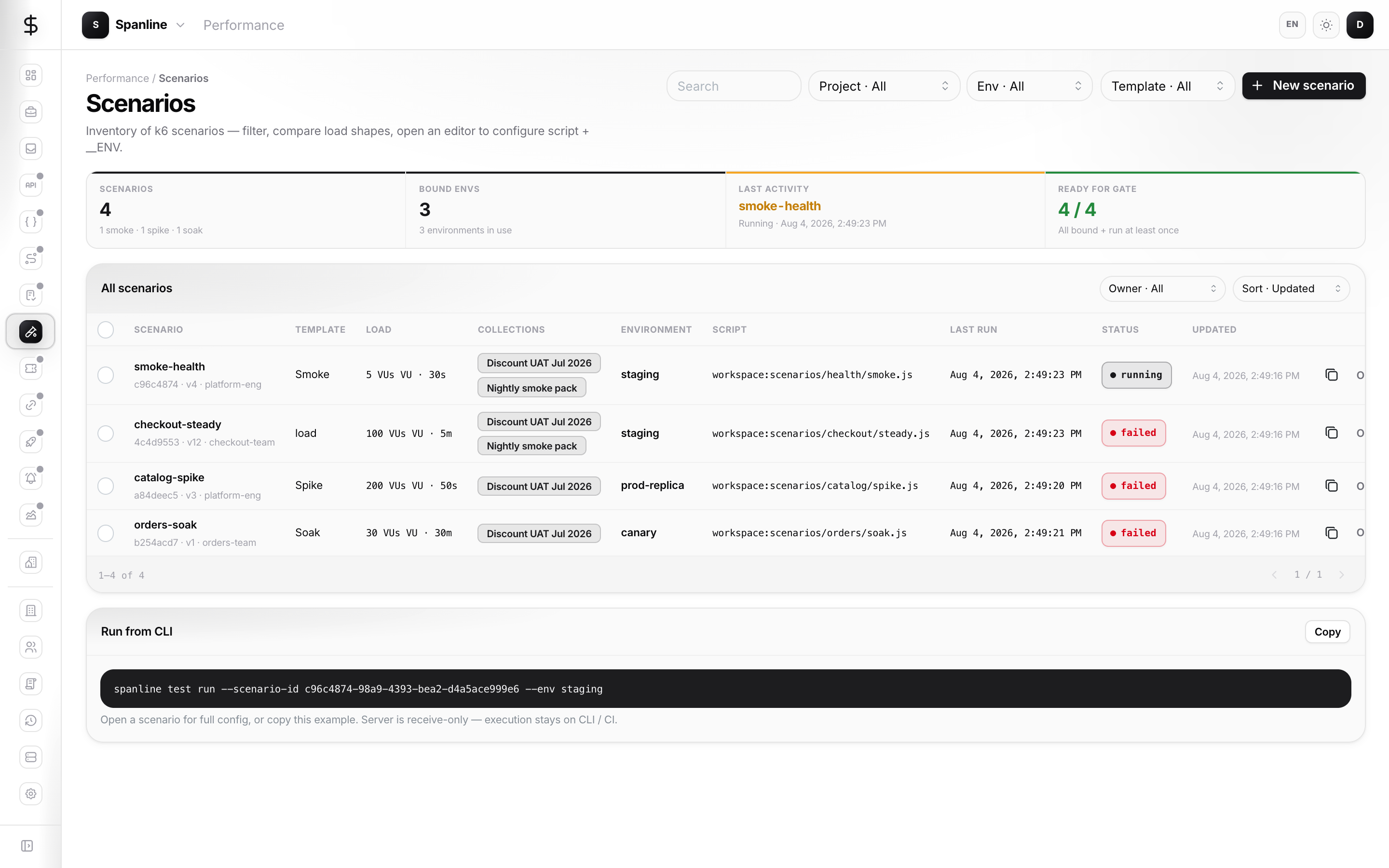
After save, copy the scenario id from the row action (copy CLI) or from Overview’s hub snippet. You will need it in Step 5.
Step 4 — Create an API token
- Open Account → API tokens.
- Create a token with permission to run Performance tests.
- Copy it once and store it in your password manager — you will not see it again.
Never paste tokens into guides, tickets, or screenshots.
Step 5 — Install the CLI and sign in
On your laptop:
# Install from https://spanline.dev/cli.html (release channel for your team)
spanline auth login --token sl_…
spanline auth workspace list
spanline auth workspace use <workspace-name-or-id>
Enterprise self-host: add --api https://api.<your-domain> on login (or SPANLINE_API in CI) — Run tests § Enterprise self-host.
In CI, prefer env vars instead of interactive login — see Run tests.
Step 6 — Run the smoke test
From a catalogued scenario (matches the Overview snippet):
spanline test run --scenario-id <scenario-uuid>
Or from a local file (upserts the scenario by name when you pass --sync):
spanline test run ./smoke.js --sync --name smoke-health --env staging
If k6 is missing, the CLI can download a supported build unless you pass --no-install-k6.
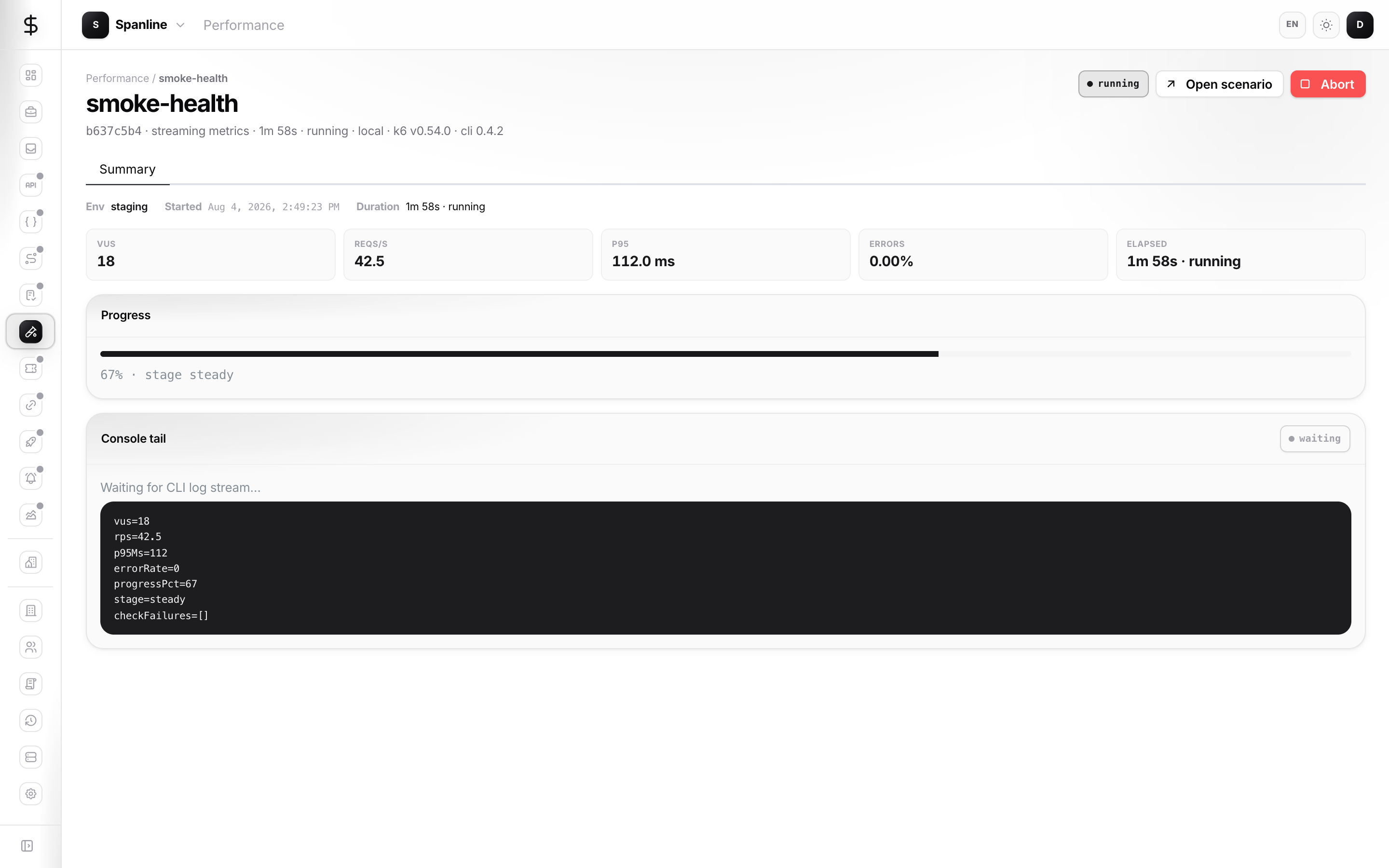
Step 7 — Watch the run in the app
- Open Performance → Overview or Runs.
- Open the live run to see VUs, RPS, latency, and errors as they stream.
- When finished, check pass/fail, thresholds, and checks on the Summary view.
- Optional: open Compare later with a second finished run (Baseline (A) vs Candidate (B)).
Checklist — first success
- [ ] Environment exists with
BASE_URL - [ ] Scenario saved and linked to that environment
- [ ] API token created
- [ ]
spanline auth workspace usepoints at the right workspace - [ ]
spanline test run …exits and Overview shows a finished run - [ ] You can open the run and read pass/fail
Next steps
| Goal | Go to |
|---|---|
| Day-to-day UI (filters, collections, matrix, connections) | Guides |
| CLI flags, CI, sync, collection-run | Run tests |
| Glossary and roles | Concepts |
| Secrets and tokens | Access & secrets |
| Stuck runs, empty Overview, auth errors | FAQ |
Not in this guide (later)
Product rail items marked Soon (Scripts, Thresholds) are not available yet — do not wait for them to finish a smoke test. Matrix, Reports, and Trends are available when you need collection evidence or rollups; see Concepts → which view?. Collection cron fields are metadata only today; scheduling still happens in external CI or spanline test watch.