Capture
Capture helps you see real HTTP traffic from partners — payment webhooks, OAuth callbacks, and API callbacks — without building your own receiver.
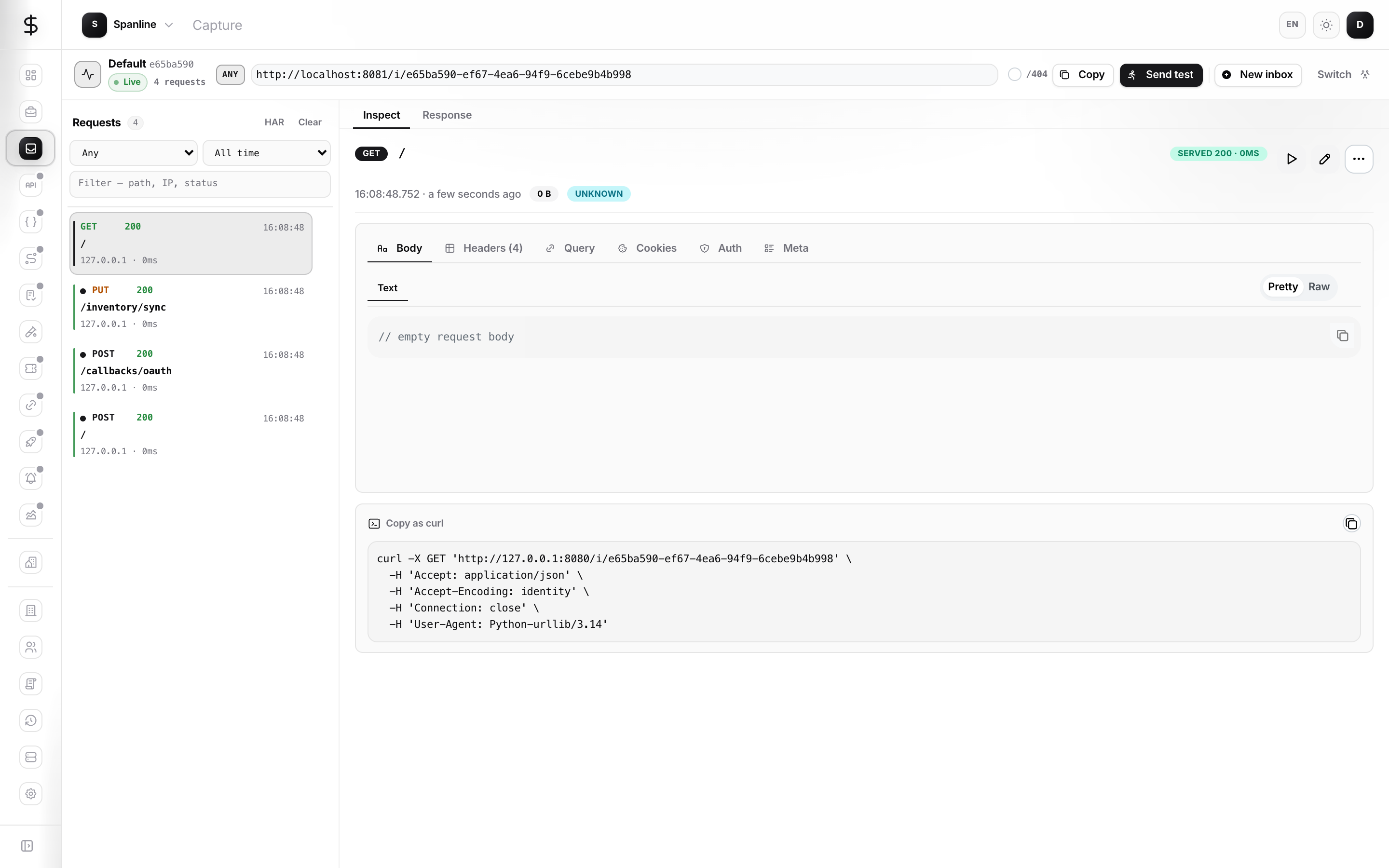
Create an Inbox, share its catch URL, then inspect every request (headers, body, timing) in Spanline. Set a mock response, replay a request, or export a HAR file for debugging.
How it fits together
| You work in… | It does… |
|---|---|
| Spanline app | Create Inboxes, inspect traffic, configure mock responses, replay, export HAR |
Catch URL (/i/{inbox-id}) |
Where partners and test clients send HTTP traffic — no sign-in required |
Capture has a single console surface in the product rail (no Overview / Scenarios-style scene tabs). Everything happens inside an Inbox.
Tour the product surfaces
| Surface | URL | What you use it for |
|---|---|---|
| Inbox console | /capture/:inboxId |
Listen for traffic, client snippets, mock response editor |
| Request detail | /capture/:inboxId/:requestId |
Inspect body, headers, query, cookies, auth, meta; replay and export |
| Catch URL | https://api.spanline.dev/i/:inboxId |
Inbound address for webhooks and HTTP clients (not the SPA URL) |
Quick start
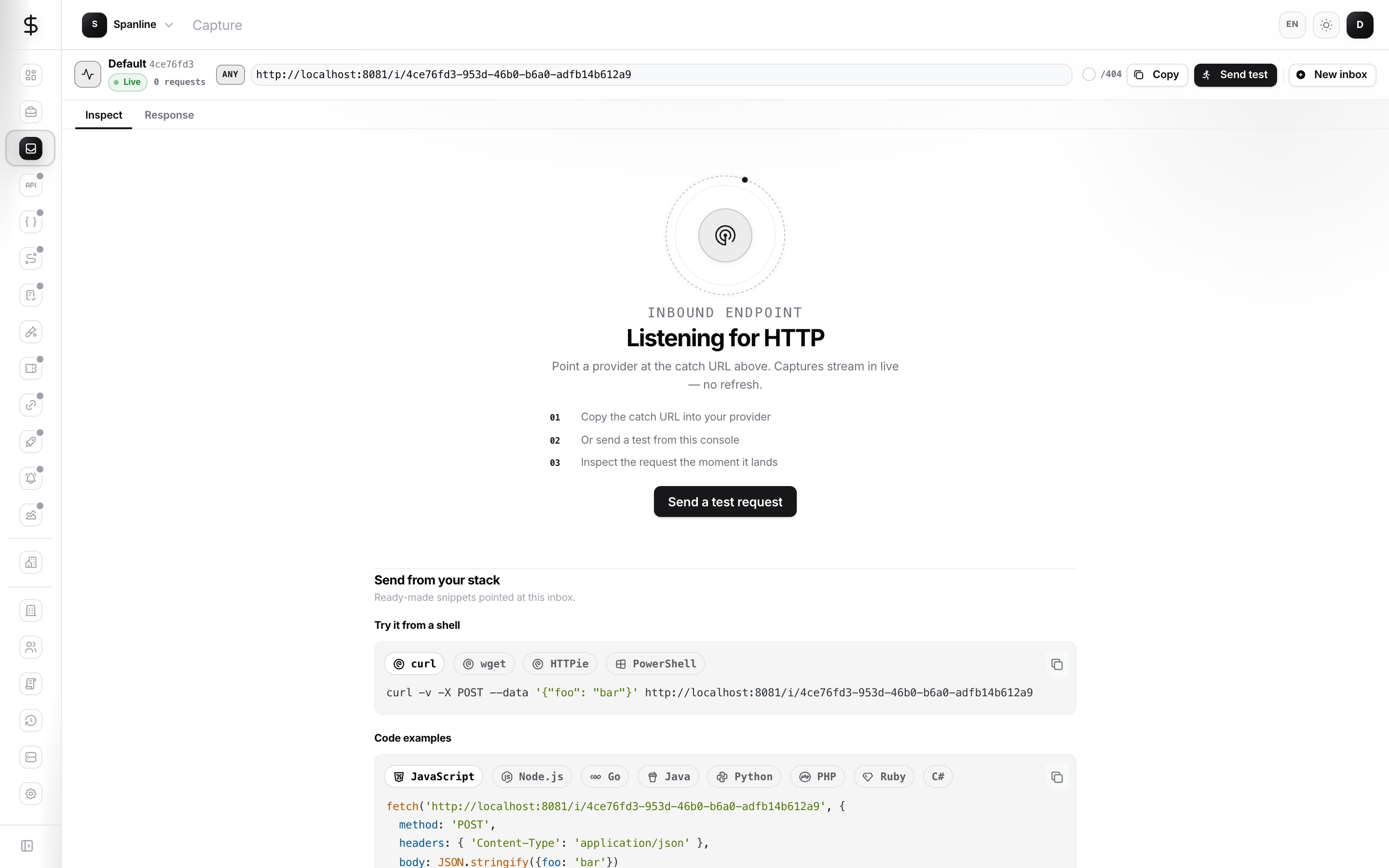
New here? Follow Getting started — Inbox → catch URL → inspect.
- Sign in at app.spanline.dev and open your workspace.
- Open Capture in the product rail (Spanline creates an Inbox if you do not have one yet).
- Copy the catch URL from the context bar or Help.
- Point your provider’s webhook (or a test client) at that URL.
- Watch requests appear live in the sidebar; open one to inspect.
curl -X POST "https://api.spanline.dev/i/<your-inbox-id>" \
  -H "Content-Type: application/json" \
  -d '{"hello":"world"}'
Tip: The catch URL is what partners call. The page you use in the app (/capture/…) is only for people on your team.
What you can do today
| Capability | Where |
|---|---|
| Inspect requests | Capture → open an Inbox → select a request |
| Set a mock response | Response tab in the console |
| Replay a request | Request detail → Replay / Edit & Replay |
| Compare two requests | Request detail → Compare |
| Export HAR | Request detail → export menu |
| Client snippets | Empty Inbox or Help |
| Link to a Project | New Inbox modal in the product |
| Clean up | Sidebar menu — delete one request, clear all, or destroy Inbox |
In this guide
| Page | Contents |
|---|---|
| Getting started | First capture end to end |
| Concepts | Inbox, catch URL, what is stored |
| Guides | Create, inspect, mock, replay, export |
| Privacy & safety | Secrets in captures, sharing tips |
| FAQ | Common problems |