Organizations
An Organization is Spanline’s security and policy boundary. Members, SSO, verified domains, org-wide plan limits, and workspace inventory all live here — before any Capture or Performance work in a workspace.
Exactly one org owner exists at a time. Org writes require owner or admin membership. Platform operators may read any org for support; they never get a silent bypass on org mutations.
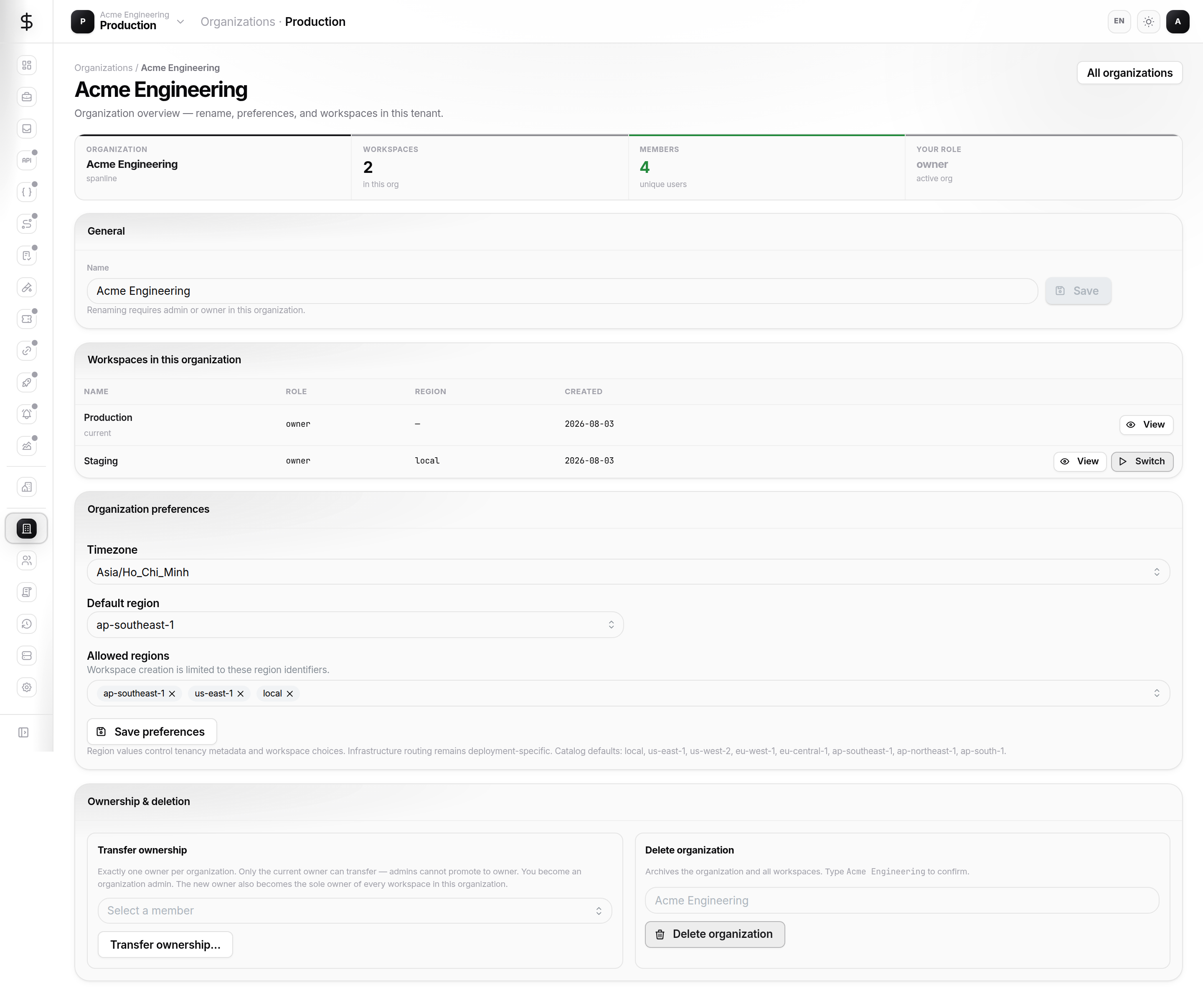
How it fits together
| Layer | Role |
|---|---|
| Organization | Policy, billing, SSO, members, workspace list |
| Workspace | Product data (Capture, Performance, …) |
| Account | Your personal sign-in, tokens, sessions |
Tour the surfaces
| Surface | URL | What you use it for |
|---|---|---|
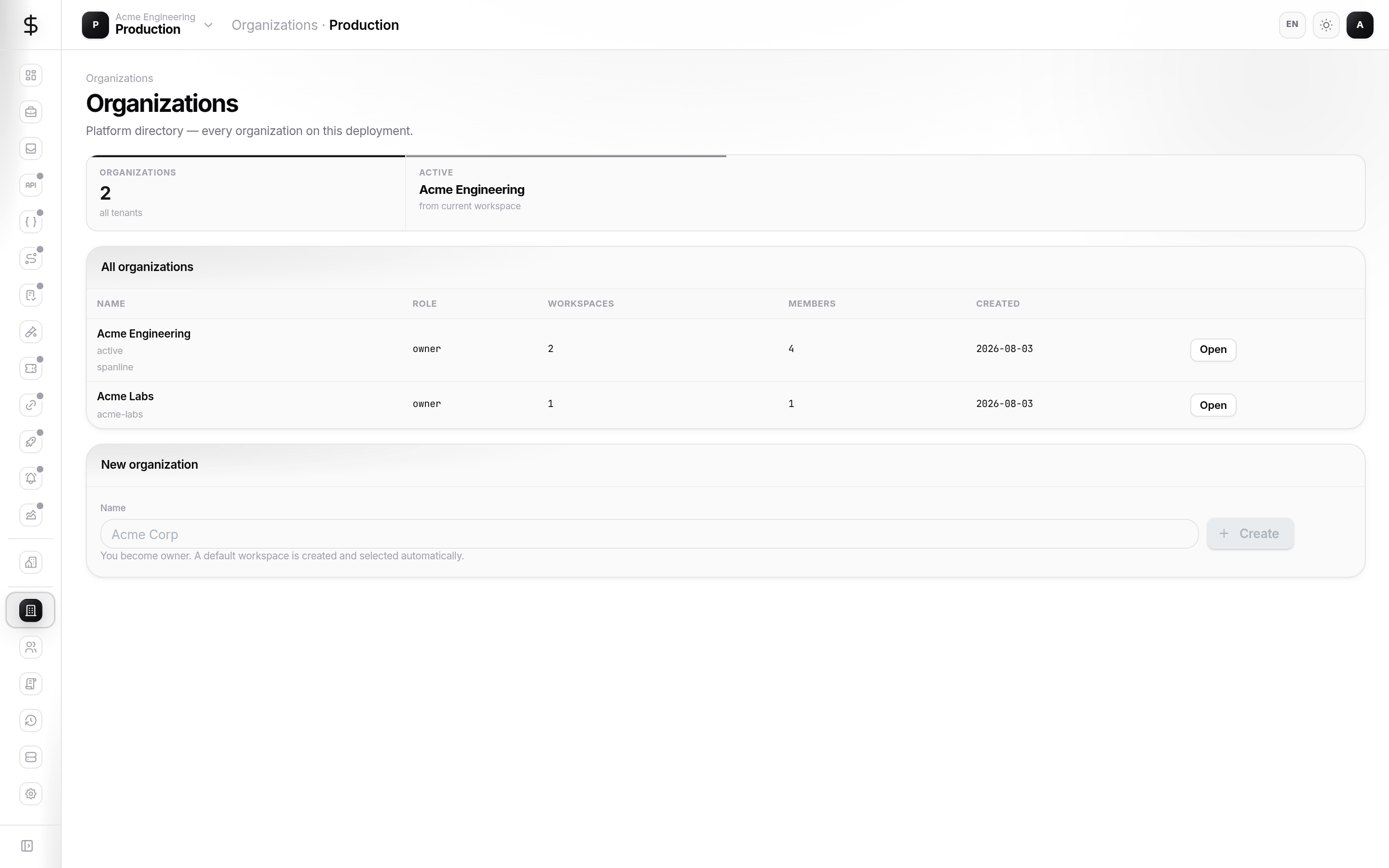
| Directory | /organizations |
List orgs you belong to; create a new org |
| Overview | /organizations/:orgId |
Name, slug, KPIs, quick links |
| Workspaces | /organizations/:orgId/workspaces |
Create and open workspaces in this org |
| SSO | /organizations/:orgId/sso |
Lark / OIDC / SAML providers, join approval |
| Security | /organizations/:orgId/security |
Password policy, MFA requirements |
| Domains | /organizations/:orgId/domains |
Verified email domains for SSO and invites |
| Members | /organizations/:orgId/members |
Invite, roles, pending SSO join requests |
| Plan | /organizations/:orgId/plan |
Seats, quotas, feature flags |
| License | /organizations/:orgId/license |
Seat license status (when entitled) |
| Audit | /organizations/:orgId/audit |
Org-scoped audit log and CSV export |
Tabs marked Soon in the product rail (Passkeys, SCIM, Roles, Groups, API Keys, Connections) are not documented here yet.
New here?
Follow Getting started — open your org, invite a teammate, and switch into a workspace.
Quick start (org admin)
- Sign in at app.spanline.dev.
- Open Platform → Organizations (
/organizations) and select your org (or Create organization). - Open Members → invite colleagues with the right org role.
- Open Workspaces → create or open the workspace your team will use daily.
- Optional: configure SSO and Security before disabling password login.
What you can do today
| Task | Where |
|---|---|
| Create an organization | Organizations directory |
| Invite members (email) | Members → invite drawer |
| Approve SSO join requests | Members → Pending approval tab |
| Configure Lark / OIDC SSO | SSO |
| Require MFA for all members | Security |
| Verify an email domain | Domains |
| Transfer org ownership | Overview → transfer (owner only) |
| Export audit CSV | Audit |
Personal organizations cannot invite members or create extra orgs — see Concepts.
In this guide
| Page | Contents |
|---|---|
| Getting started | First org admin path |
| Concepts | Roles, ownership, personal orgs |
| Guides | SSO, members, domains, audit |
| Access & policy | Privilege boundary, MFA, domains |
| FAQ | Invites, SSO join, ownership |
Related
- Workspaces — members, environments inside a workspace
- Account — personal tokens and MFA enrollment