Workspaces
A Workspace is the business container for product data — Capture inboxes, Performance runs, and everything else your team builds together. Authentication stays at the platform layer; the workspace is where membership gates product APIs.
Use the header workspace switcher to change context. Most product rails (Capture, Performance, Dashboard) operate on the current workspace.
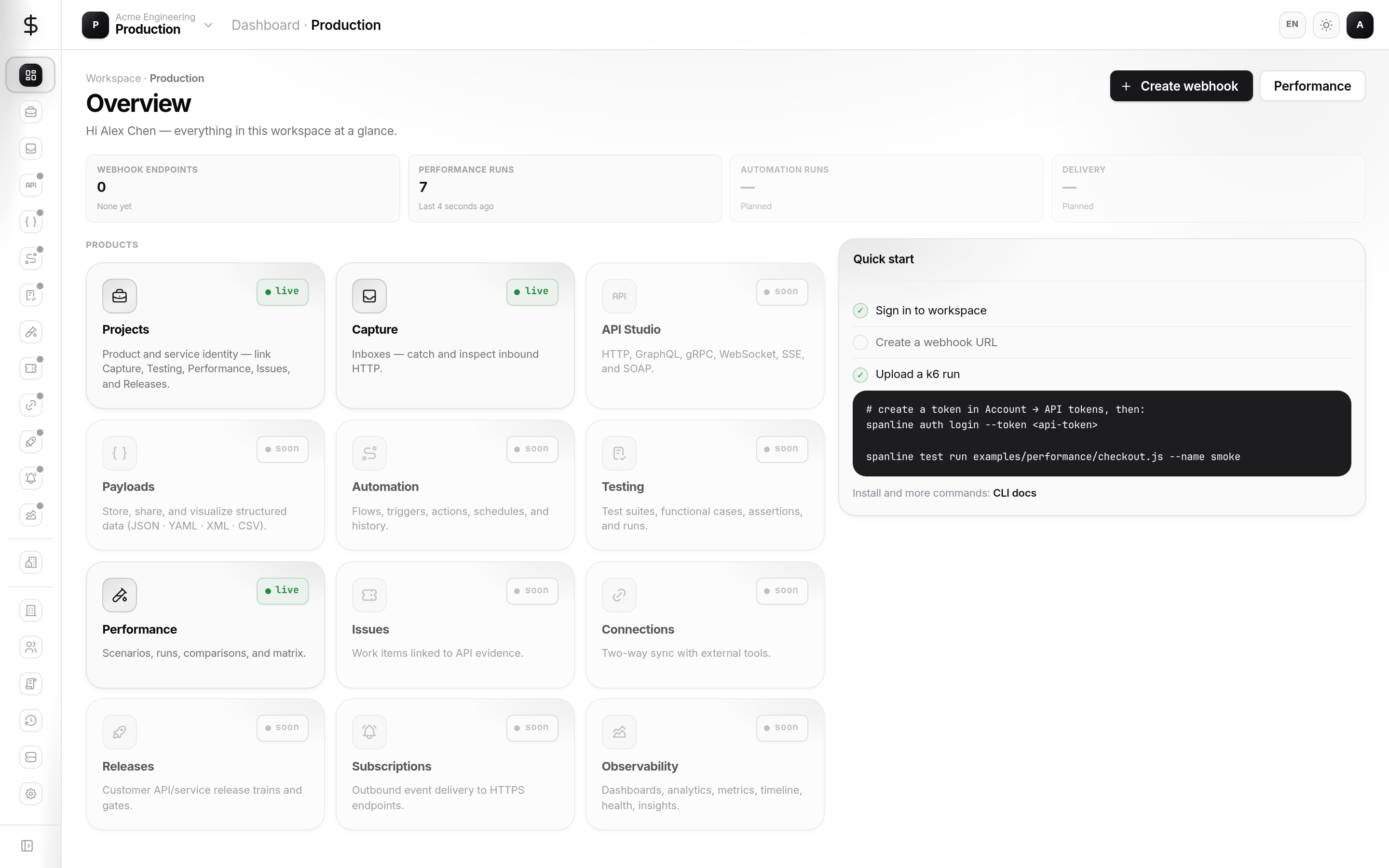
How it fits together
| Piece | Role |
|---|---|
| Organization | Owns workspaces; sets org-wide policy |
| Workspace | Members, environments, product data |
Dashboard (/) |
Shortcuts into Capture and Performance for the current workspace |
Tour the surfaces
| Surface | URL | What you use it for |
|---|---|---|
| Dashboard | / |
KPIs, quick Capture inbox, recent Performance runs |
| Workspaces | /workspaces |
List, switch, rename, create (when allowed) |
| Members | /workspaces/members |
Workspace roles and access grants |
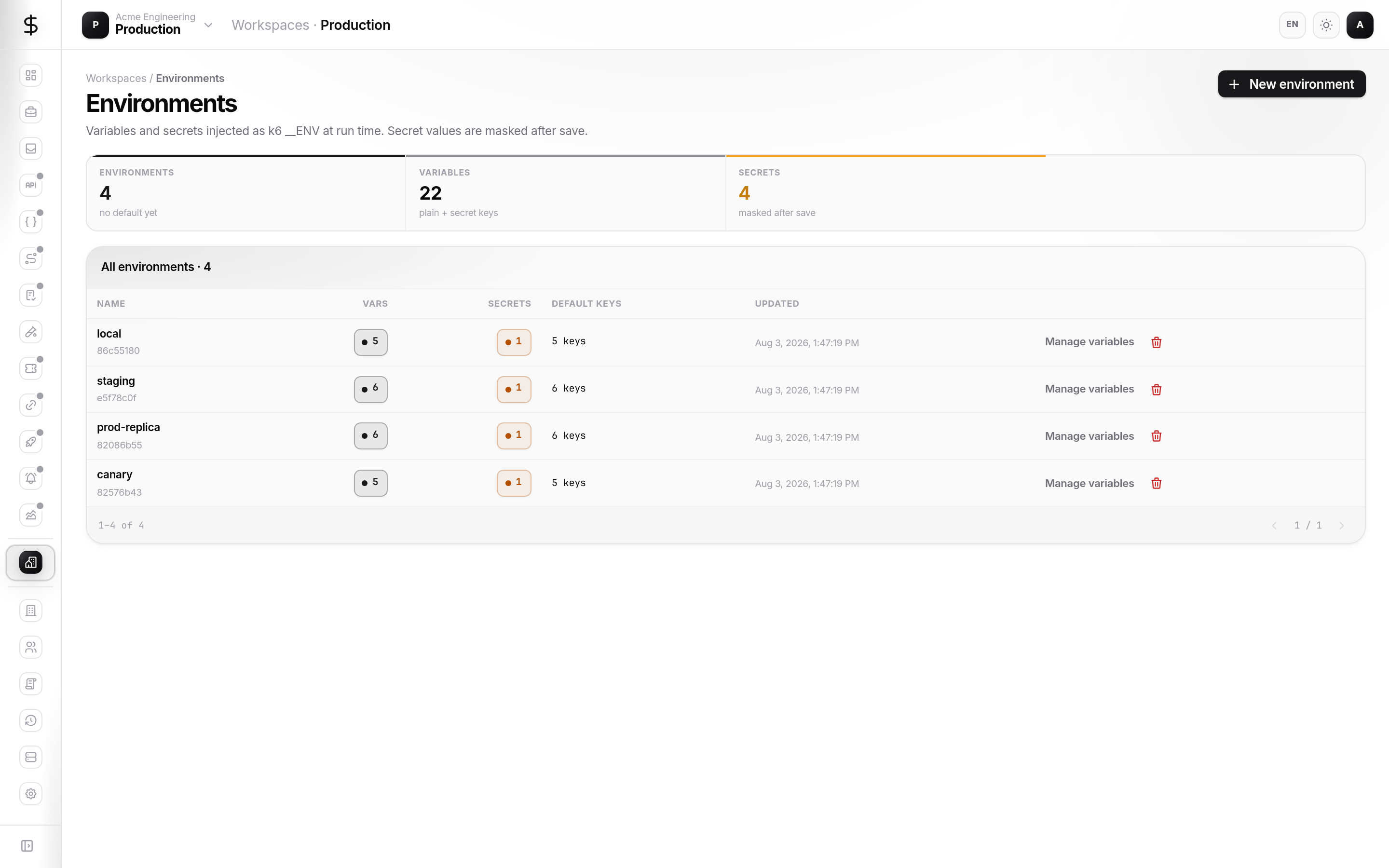
| Environments | /workspaces/environments |
Named variable sets and sealed secrets for scenarios |
Variables, Secrets, Tags, and Executions tabs are Soon — environment variables and sealed values today live under Environments.
New here?
Follow Getting started — pick the right workspace and create an environment for Performance.
Quick start
- Sign in and use the header switcher to select your team workspace.
- Open Workspace → Workspaces to see all workspaces you can access in the org.
- Open Workspace → Environments → New environment (for example
staging). - Add variables; mark sensitive values as Secret (sealed with the org public key).
- Link the environment from Performance → Scenarios — see Performance getting started.
What you can do today
| Task | Where |
|---|---|
| Switch workspace | Header switcher or Workspaces list |
| Create a workspace | Organizations → Workspaces (org admin) or quota allowing |
| Manage workspace members | Workspace → Members |
| Create environments & secrets | Workspace → Environments |
| Open Capture / Performance | Product rail (scoped to current workspace) |
In this guide
| Page | Contents |
|---|---|
| Getting started | Switcher, environment, first links to products |
| Concepts | Roles, ownership, environments |
| Guides | Members, environments, dashboard |
| Access & secrets | Roles, sealed secrets, least privilege |
| FAQ | Switcher, MFA, multi-workspace CLI |
Related
- Organizations — create workspaces, org policy
- Performance — scenarios and runs using environments
- Account — API tokens and
SPANLINE_WORKSPACEfor CI